
Manage engagements, interviews, evidence, reports and billing in one place. Built around the way independent workplace investigations run, whether you work alone or with a team. Less time coordinating the case. More time doing the work.
30 days free. All features included. Card required; cancel before the trial ends to avoid a charge. Built by a practicing workplace investigator.
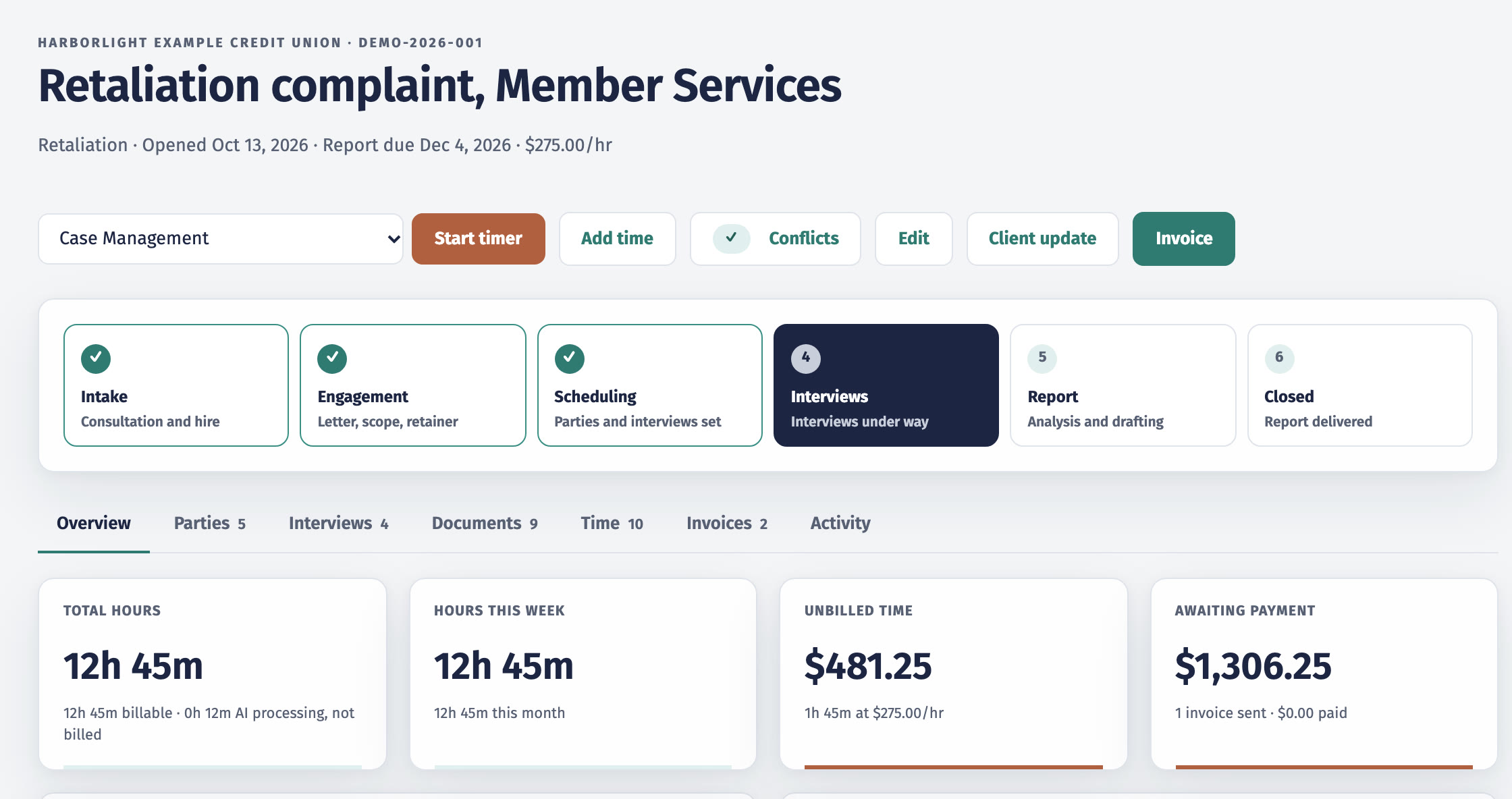
From intake to final report, see where every matter stands.
Open a matter. Confirm the scope. Interview the witnesses. Review the evidence. Write the report. Send the invoice. FairFind brings those steps together, so you can see where each investigation stands and what needs your attention. Your templates, your letterhead and your professional judgment, with the logistics in one place.
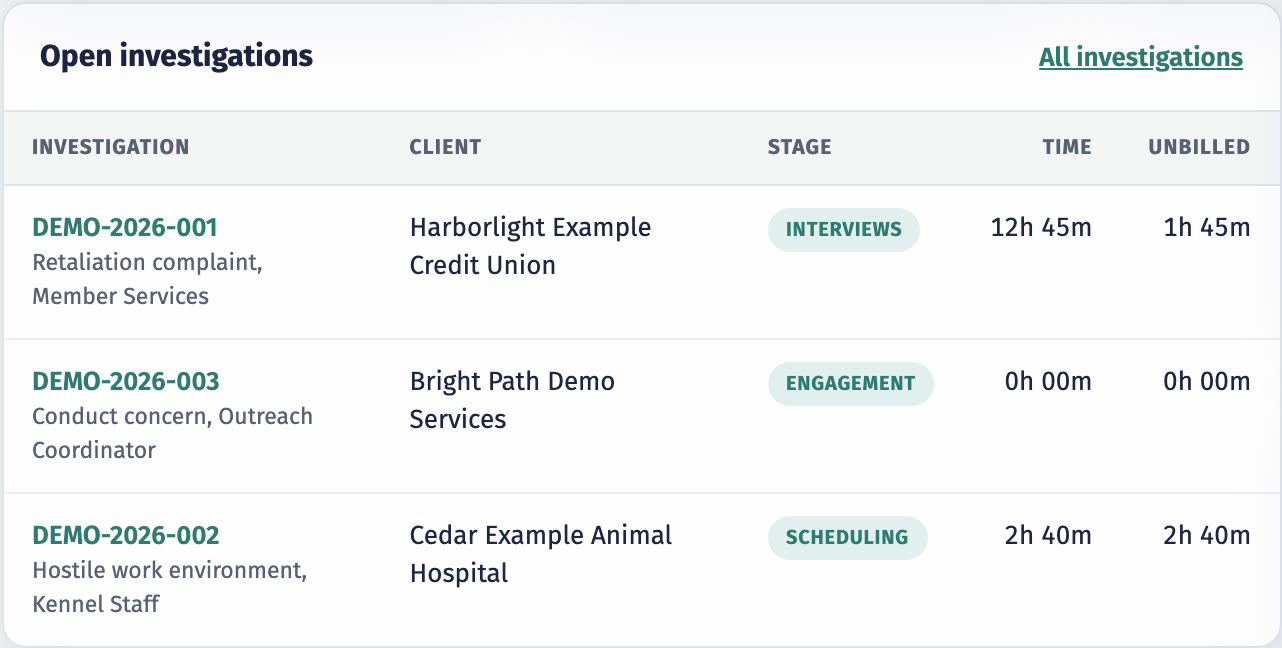
Enter the client, parties, allegations and your rate. FairFind checks the names for potential conflicts, creates the case folders and prepares your engagement documents using your templates and letterhead. Send them from your own email address; Google Workspace firms can request eSignature on the retainer through Drive. The documents and the conflict-check decision stay with the case.
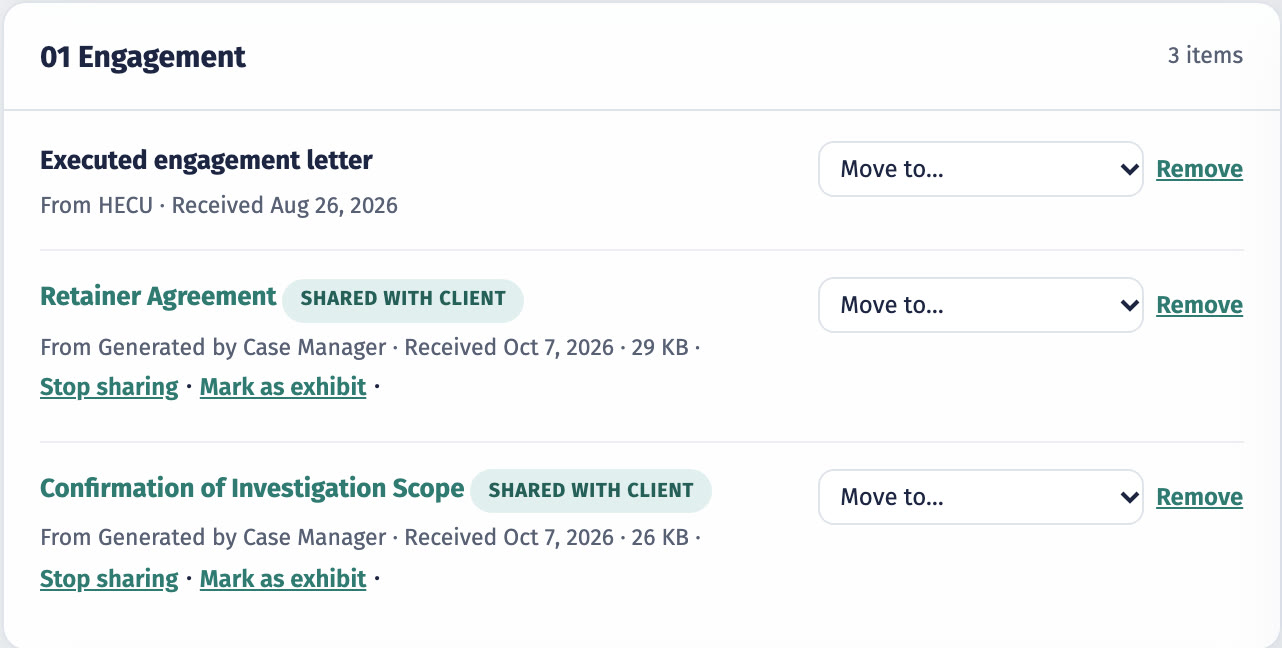
Offer the times that work for you. When a witness replies with a choice, confirm it from the case: FairFind creates the Zoom or Teams meeting (or puts the address on the invitation for an interview in person) and releases the unused calendar holds. Interview details, replies and follow-ups stay with the matter, so you can see who's confirmed and who still owes you something.
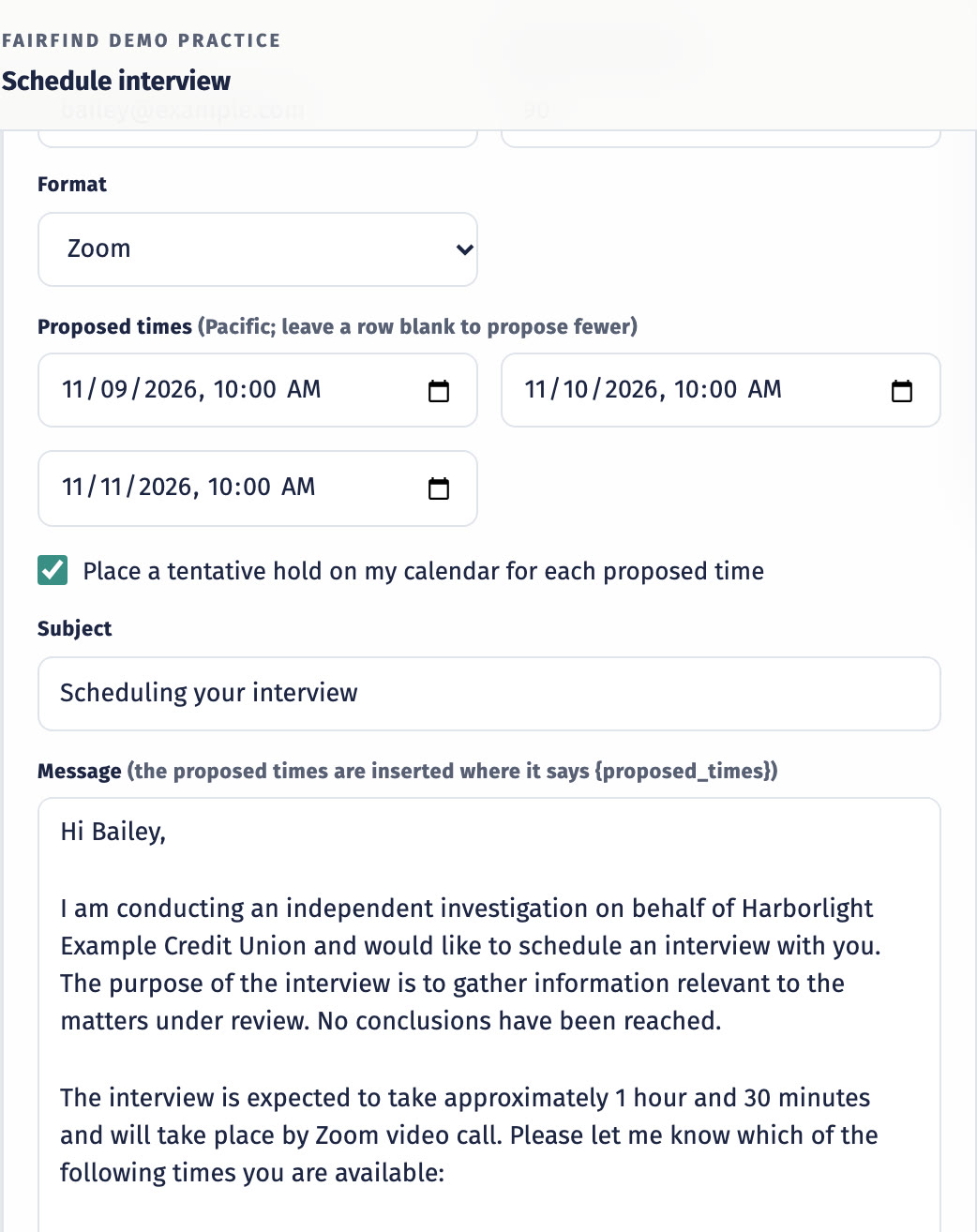
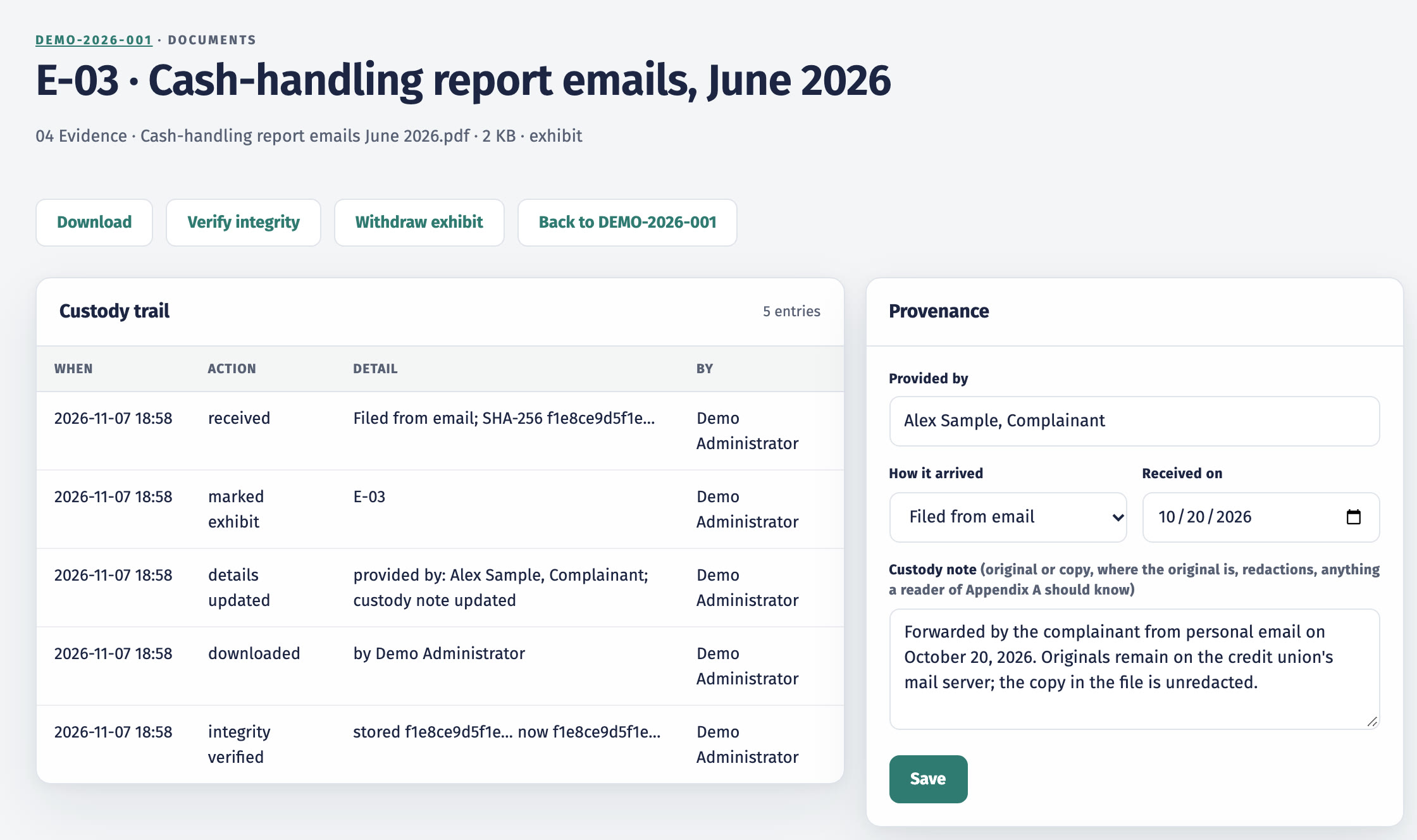
Forward an email to the matter's dedicated address, or collect documents through the client portal and private witness pages. Files arrive in the case with a record of how they were received and who provided them. Mark a document as an exhibit, and FairFind assigns its number and lists it in the report's Appendix A.
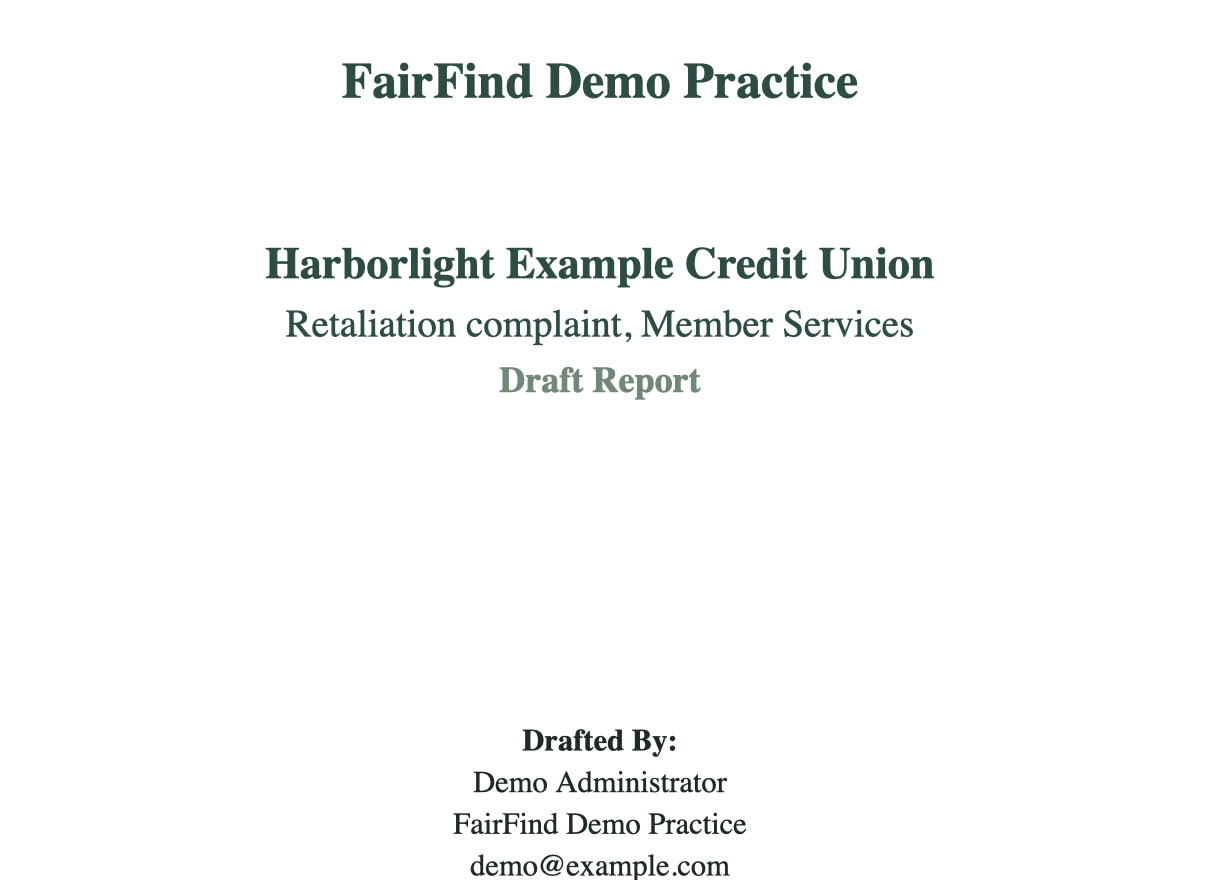
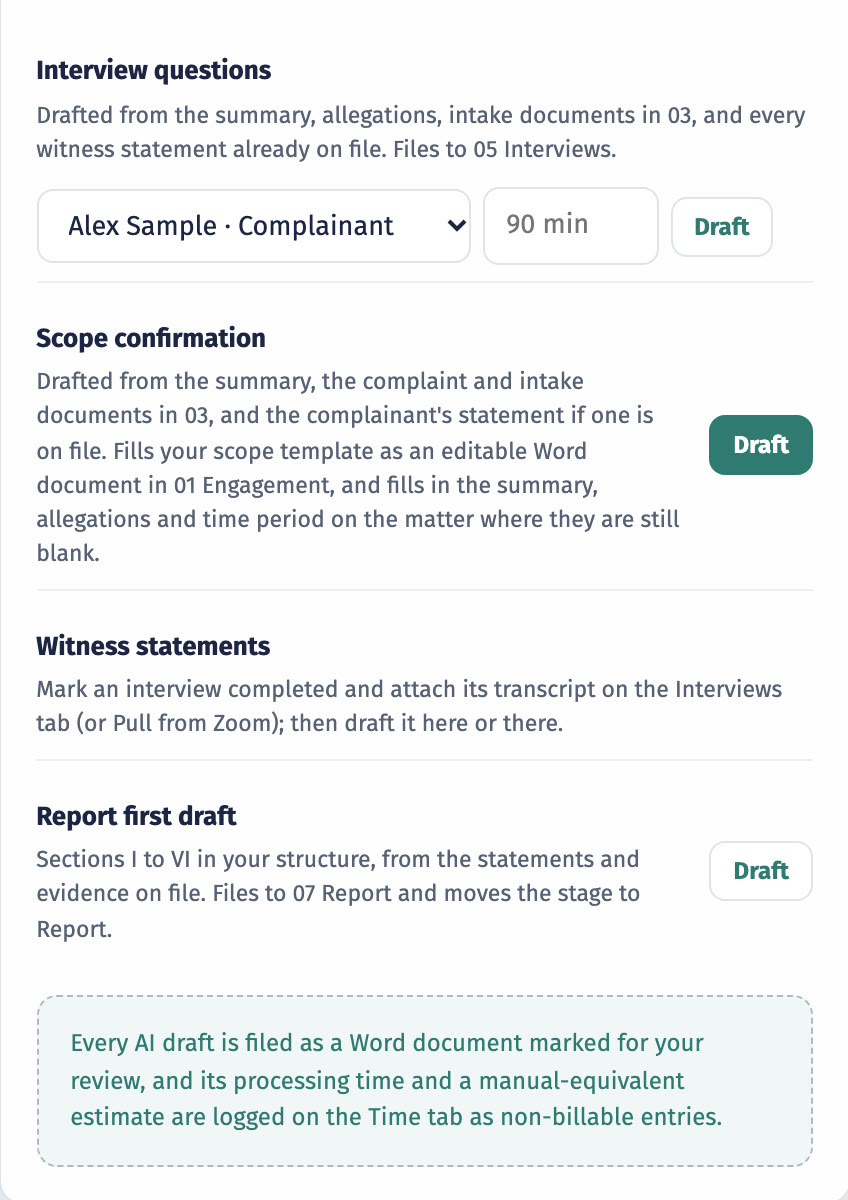
Start interview questions, witness statements and reports from the materials already on file. Use your templates and share past reports to help FairFind follow your writing style. Drafts arrive as Word documents, ready for your review. You assess the evidence, make the findings and decide what leaves the file.
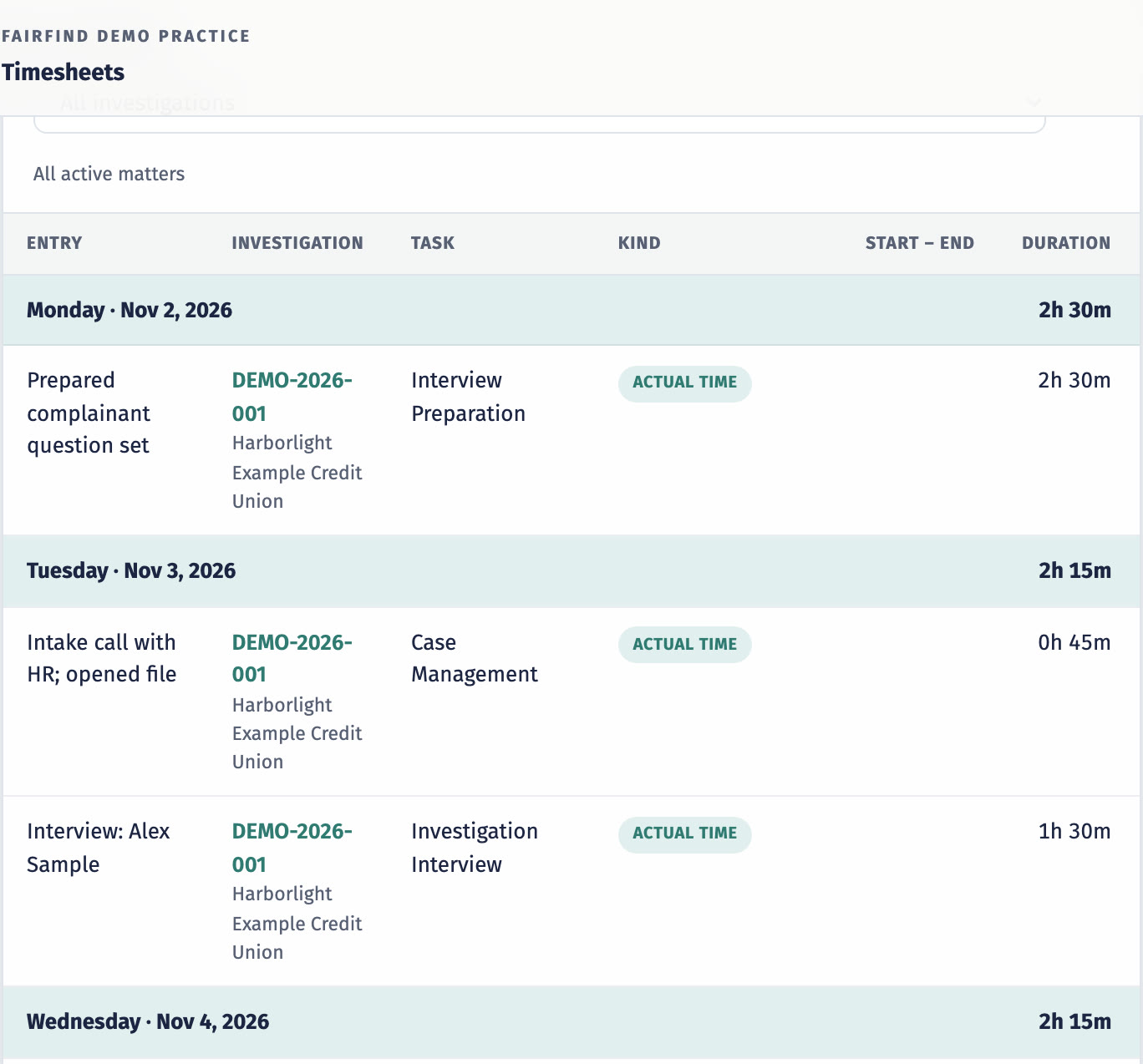
Start a timer wherever you're working in FairFind. When you stop, assign the time to the matter and task. Review your week, see what remains unbilled and build an invoice from your time entries. Invoices carry your letterhead, with reminders and optional late fees based on the settings you choose. QuickBooks Online sync is available on request.
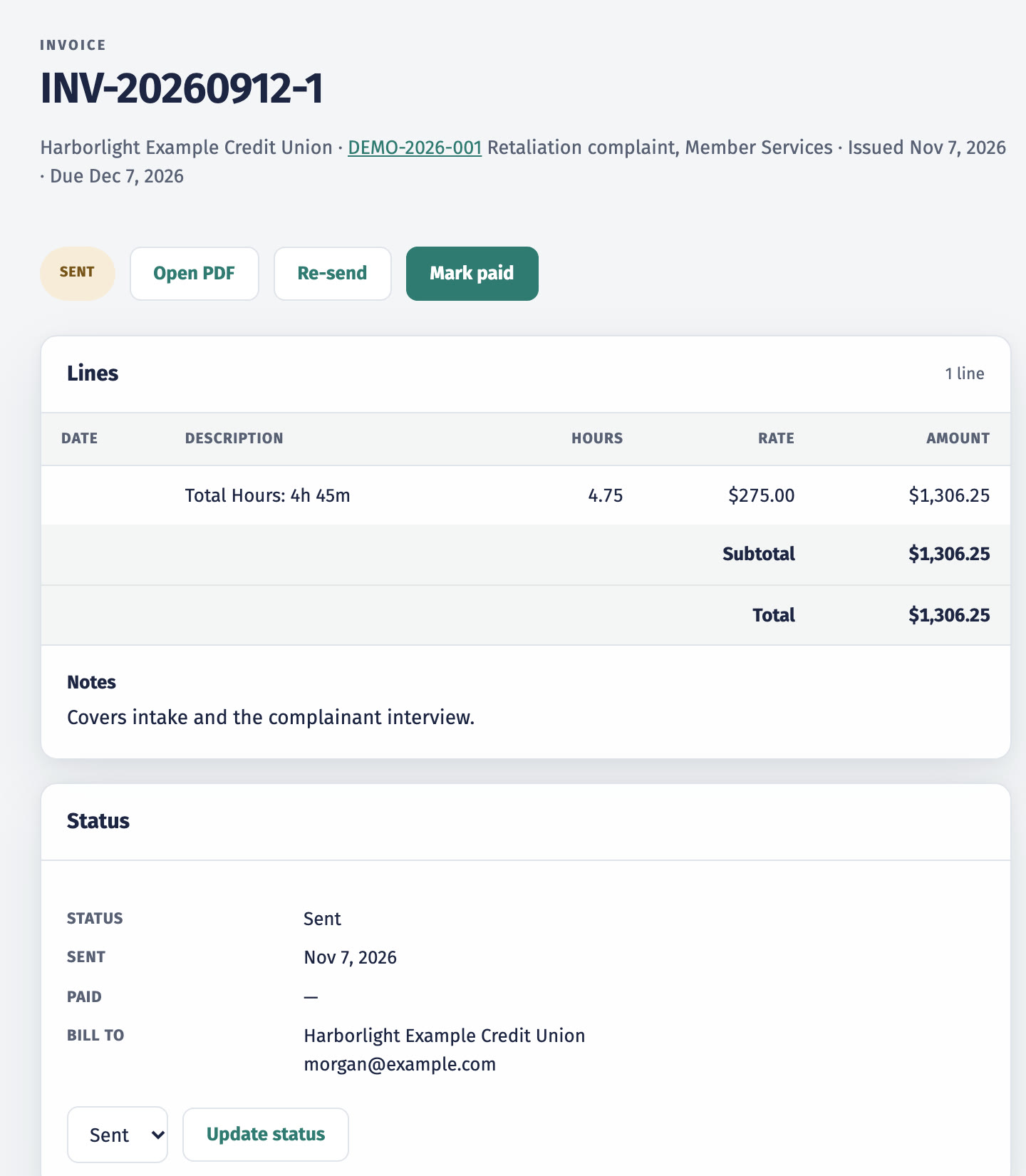
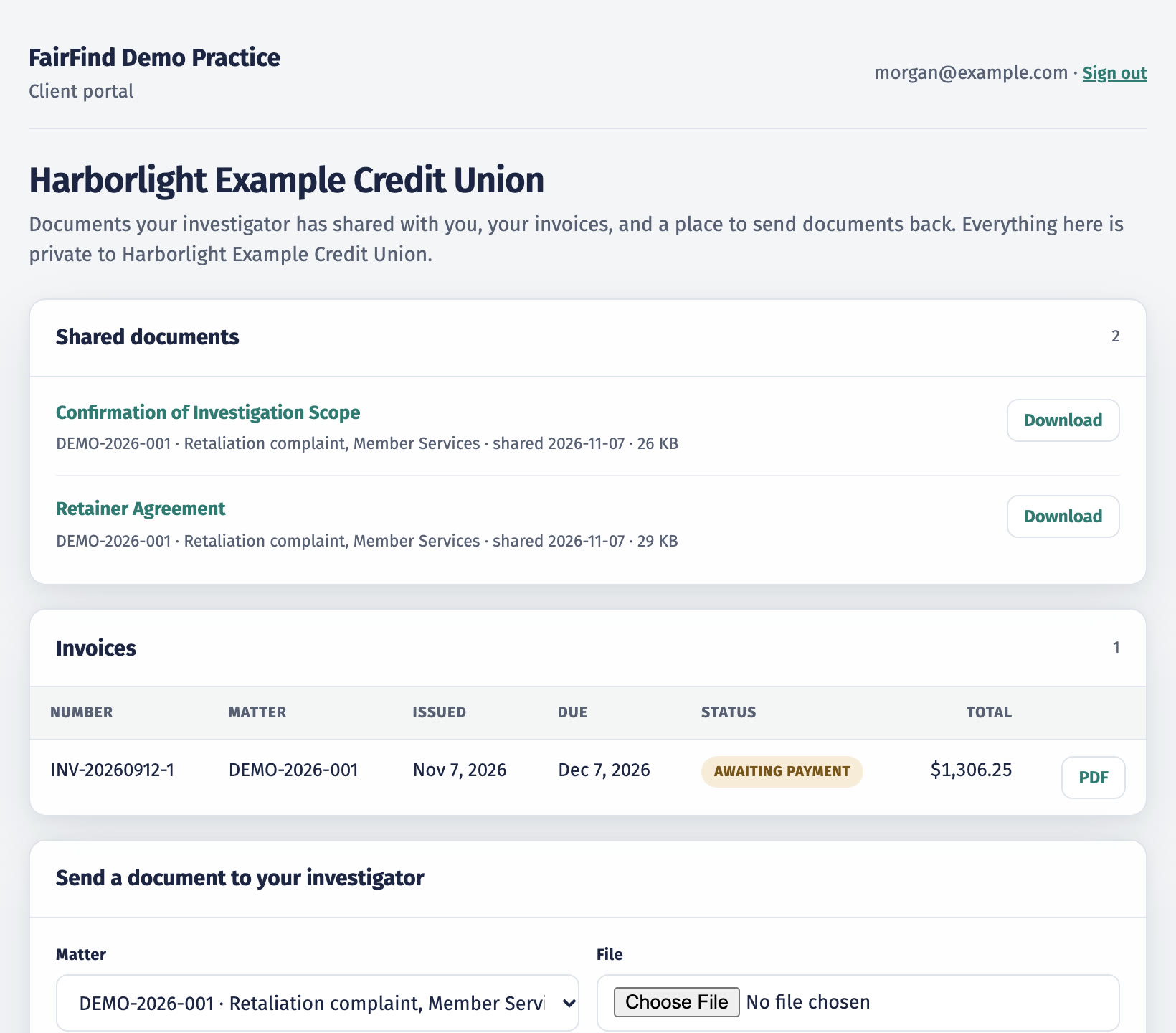
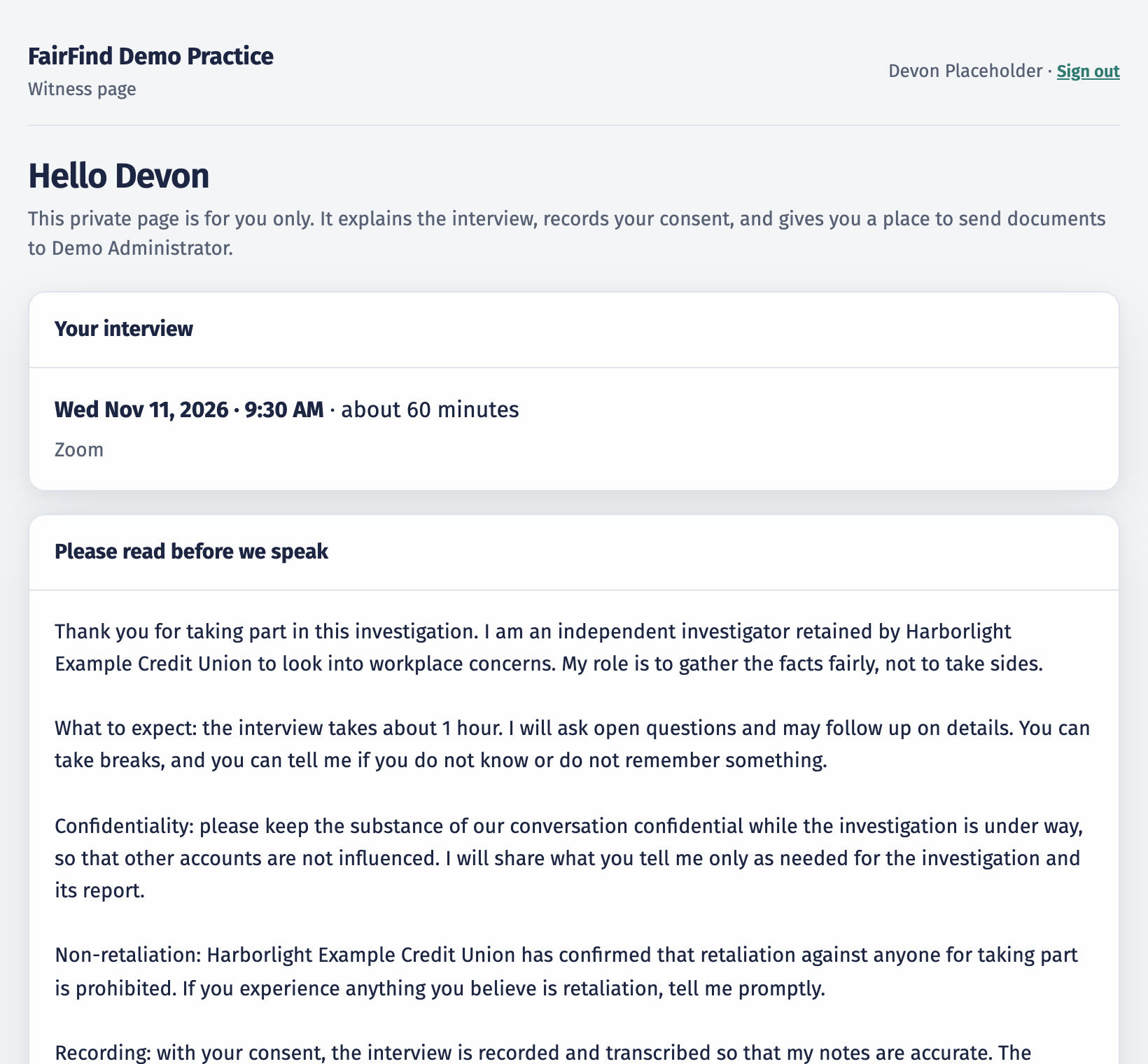
Share selected documents and invoices through a private client portal carrying your firm's name and logo. Each witness gets a separate private page for notices, recording consent, interview details and document uploads. Their page does not show other witnesses or the allegations. Sign-ins, downloads and uploads are logged for your review.
Workplace investigations involve information people trust you to handle carefully. FairFind keeps each firm's data separated at the database level, encrypts stored files and connected-account credentials, and records sign-ins and sensitive actions in an audit trail. Data is hosted in the United States. Your matters are never used to train AI models. Read about the safeguards in place, and their current limits, before deciding whether FairFind fits your practice.

The interviews, the evidence and the judgment are the work. Everything around them is what eats the week.
I started my career as an employment lawyer representing workers in discrimination, harassment, retaliation and wage cases. I saw how much turned on whether an investigation had been careful, fair and clear. Today, I conduct neutral workplace investigations in my own practice and teach other investigators to run fair, careful and defensible investigations.
I also know what happens between the interviews: scheduling, chasing documents, preparing engagement letters, recording time and keeping the file in order. I was doing it all by hand, and it was costing me evenings.
FairFind began as the case manager I wanted for my own practice. Then other investigators asked to use it. I built it to help us spend more of our time where our judgment matters.
Independent workplace investigators and investigation firms. It follows the work from opening a matter and confirming the engagement through interviews, evidence, reporting and billing.
You make that decision. FairFind helps organize the case and prepare drafts for your review. You assess credibility, weigh the evidence and determine the findings.
Yes. Use your own templates and letterhead, or start with FairFind's. You can also provide past reports to help drafts follow your writing style.
Your templates and past reports help FairFind follow your structure and voice. Every draft still needs your review for accuracy, analysis and wording.
Yes. Solo investigators and teams use the same core workflow. Solo pricing covers one investigator; team pricing is available for practices with two or more.
No. Your matters are never used to train a model. You can also use your own Anthropic API key if you prefer.
Data is hosted in the United States. Each firm's records are separated from other firms' records at the database level. Stored files and connected-account credentials are encrypted, and owners can review an audit trail of sign-ins and sensitive actions. See the Security page for the full details and current limits.
Export everything in one click, every record and every file, any time. Then close the workspace. After a seven-day grace period in which you can change your mind, everything is erased.
Google Workspace or Microsoft 365 for email and calendar, and Zoom or Teams for meetings. Zoom cloud transcripts can be brought into the case file when available. QuickBooks Online sync is available on request.
You get 30 days with all features included. A card is required to start, but nothing is charged until the trial ends. Cancel before then to avoid a charge.
Yes. Book a 30-minute walkthrough with Chiedza to see the workflow and discuss how it could fit your practice.
Yes. Open it, add the parties and the documents you have, and carry on from the stage you're at. The scheduling, filing and drafting tools don't care where you started.
Solo is $229 per month for one investigator, or $199 per month on an annual plan. Team is $189 per investigator per month for two to five investigators, or $169 per investigator per month on an annual plan. Everything is included on both; there are no add-ons. Every new workspace starts with 30 days free; a card is needed to start and nothing is charged until the trial ends.
Email hello@fairfind.app. Chiedza reads every message.
Thirty minutes with Chiedza on a sample matter, with time for your questions about security and setup.
Opens Calendly. No card or commitment required.
Bring your process, your templates and your judgment. Give the logistics a place to live. 30 days free, all features included; card required, and you can cancel before the trial ends to avoid a charge.